Analysis of Results, Part One:
Now, in my research, I want to study gender. So I might take this corpus and put it into Voyant differently. To use this Cirrus tool for gender, I am going to paste my two documents into Voyant separately, in two windows. In a larger word cloud, I am going to use the term tool to expand the terms to let’s say, 300 terms, making my new word cloud much richer.
Now I could compare clouds of women’s words to men’s. What are women vs men speaking about? Then, I’ll go back to my original Voyant, with both documents included in my corpus.
Comparatively, what gets obscured when the conversation blends both the Suffragette’s speeches and the President’s? I break this process down into three steps below, which I include pictures for! I also used the “terms” adjusting tool, which allows you to adjust the size of the tools on the screen to make the word cloud larger. Do this on your own with a tool you are working with by hovering over the edge of the tool until it highlights a two-pronged arrow as your cursor. You have now selected the tools boundary! Click and drag your cursor to adjust the size you’d prefer.
In the screenshot below, I am entering only the suffragette speeches into Voyant. Then, I am expanding the number of terms included to 300, and the distinctive word list, which I am also paying attention to in this context, to 25 terms at the very bottom.
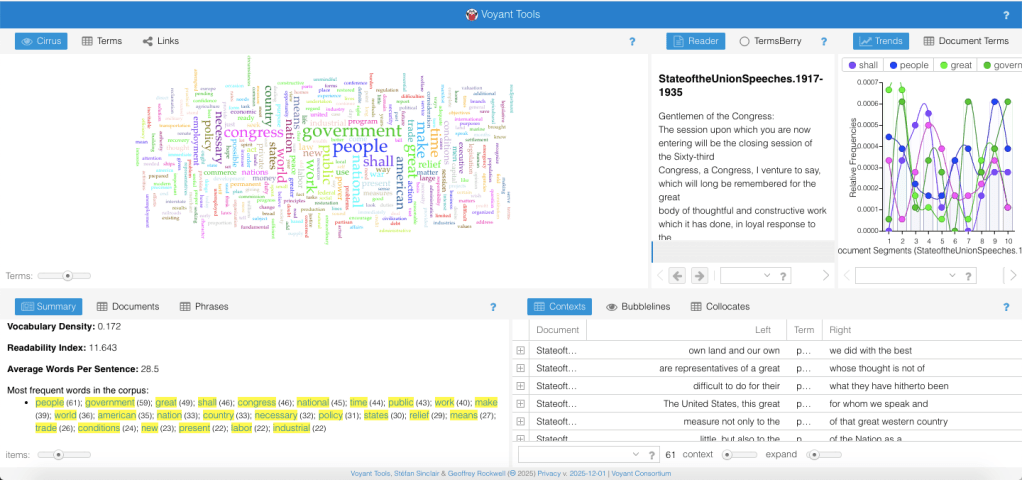
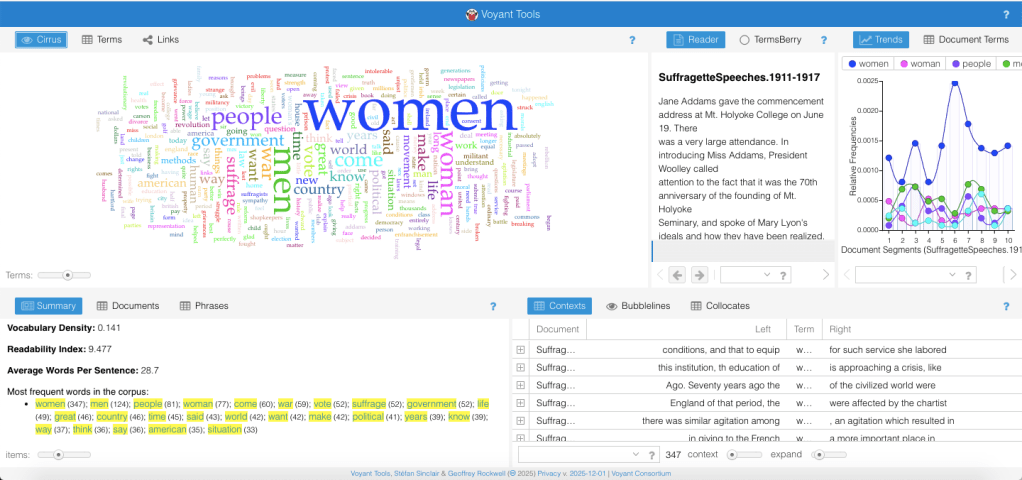
This second image, as you can see, shows the Suffragettes’ word cloud and distinctive words as opposed to the previous image, which shows only the State of the Union speeches. Here, you can see below how you can engage with the cloud by hovering over a word to see its frequency in the text.
 Voyant Text Guide for Students
Leave a comment